

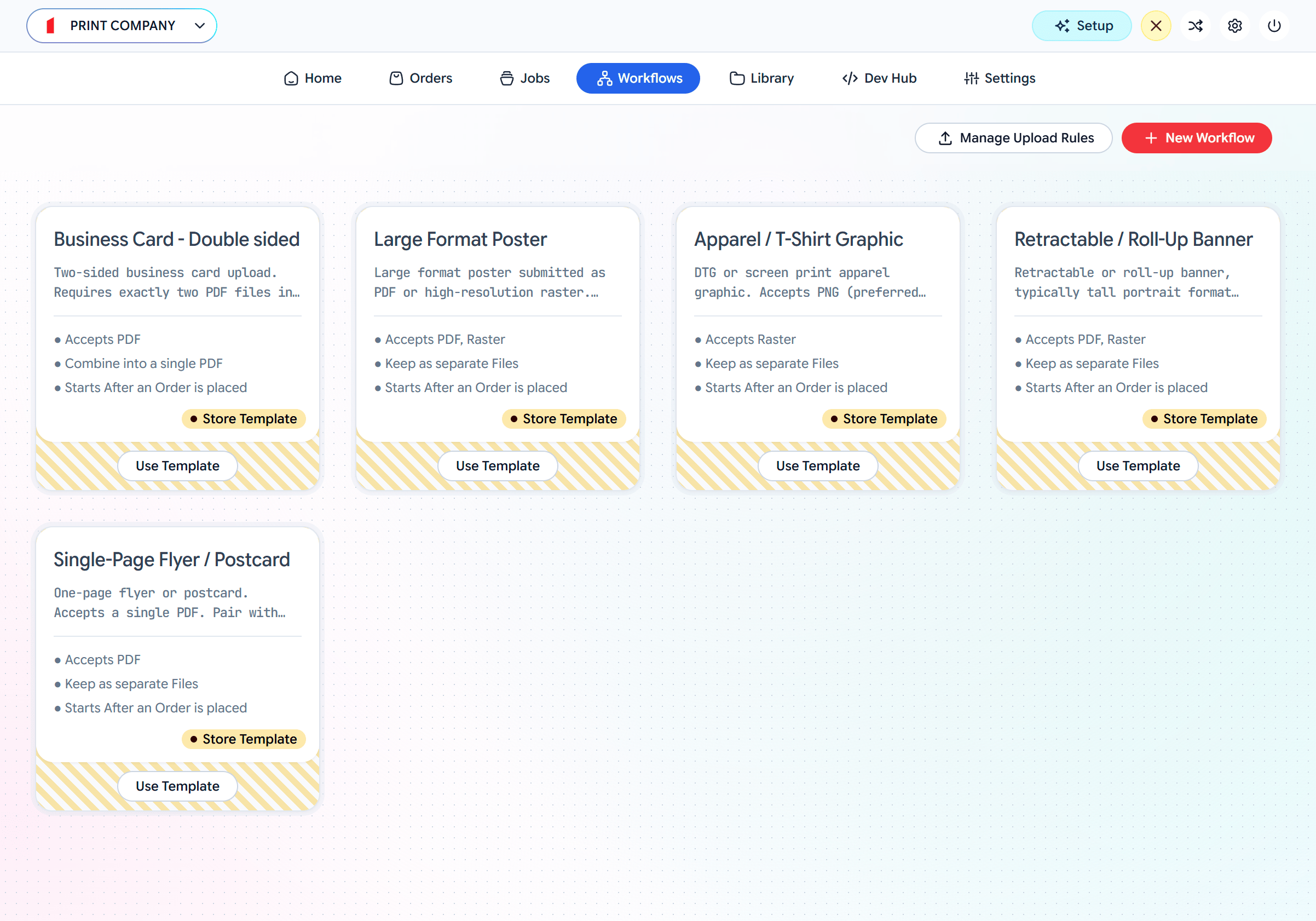
Workflows — start from a template or create a new one
The two phases: intake and processing
This is the most important idea in a Workflow. The pipeline is split in two by a trigger.Intake
Runs while the customer waits. The assigned Rule accepts the files and runs its preflight/validation. This phase is deliberately fast — it only decides whether the upload is good enough to proceed.
Processing
Runs after a trigger fires — not while the customer waits. This is where files are auto-fixed (based on the earlier preflight), optimized, split, merged, and exported to their final shape.
A Rule only ever governs the intake phase. Everything downstream is the Workflow’s job. That separation is why the same Rule can be reused by many different Workflows.
Build one
1
Create a workflow
Open the Workflows tab. Use Template on a product card, or New Workflow. The editor shows the pipeline top to bottom.
2
Assign a Rule at intake
In the Intake / Upload Rule stage, Select an Upload Rule (or Create New Rule). This sets what customers can upload and what gets preflighted. See Rules.
3
Toggle Soft-proofing (optional)
Turn on Soft-proofing to show the customer a preview to approve before processing continues. Under Show a preview to customer?, choose Flat pages, or a 3D Scene to show the proof on the product. See Soft-proofing and 3D Proofs.
4
Choose a Trigger
Decide when the workflow should proceed from intake into processing (below).
5
Configure processing
Set what happens to the files once triggered — autofix, optimize, split, and how to Merge the outputs.
Triggers: when processing starts
The trigger is the gate between intake and processing.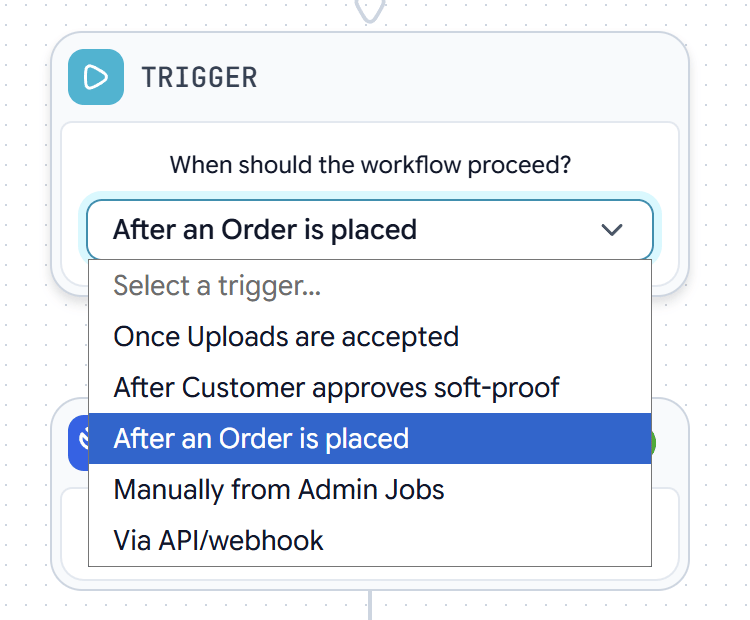
Trigger — when should the workflow proceed?
Processing: shaping the output
Once triggered, files run through processing steps, which differ by file kind:- PDF — autofix (correct the issues preflight found) → optimize (apply an Optimization Preset) → split pages.
- Raster — autofix → optimize → convert (e.g. to PDF).
Each run of a file through this pipeline produces a Job you can inspect and download.
Optimization Presets
Force a PDF or Raster into a target shape in the optimize step.
Jobs & output
Where the processed files end up and how to get them.