

The Filecheck app is live on the Shopify App Store. Installing it connects your store automatically — there are no API keys to copy and no code to write. Building something custom instead? Embed the Element yourself or go fully headless with the REST API.
From install to downloading processed files, in five stages
Install Filecheck on Shopify
Get the app from the Shopify App Store.
1
Install the app
Install Filecheck from the Shopify App Store. Installation connects your store and provisions your account for you — there are no keys to copy or paste.
2
Switch on the Filecheck app embed
The app embed is what loads Filecheck on your storefront. Until it is on, your Filecheck dashboard shows a banner saying Filecheck is not showing on your storefront yet. Click Open theme editor in that banner, or in Shopify go to Online Store → Themes → Customize → App embeds. Turn on Filecheck, then click Save. The banner clears when you return to the dashboard.
3
Start from onboarding
Once installed, you are taken straight to the Filecheck admin dashboard and an onboarding screen. From here you can either assign the built-in default workflow to a product to test quickly, or create your own Workflow and assign it. Assigning a workflow to a product is called mapping.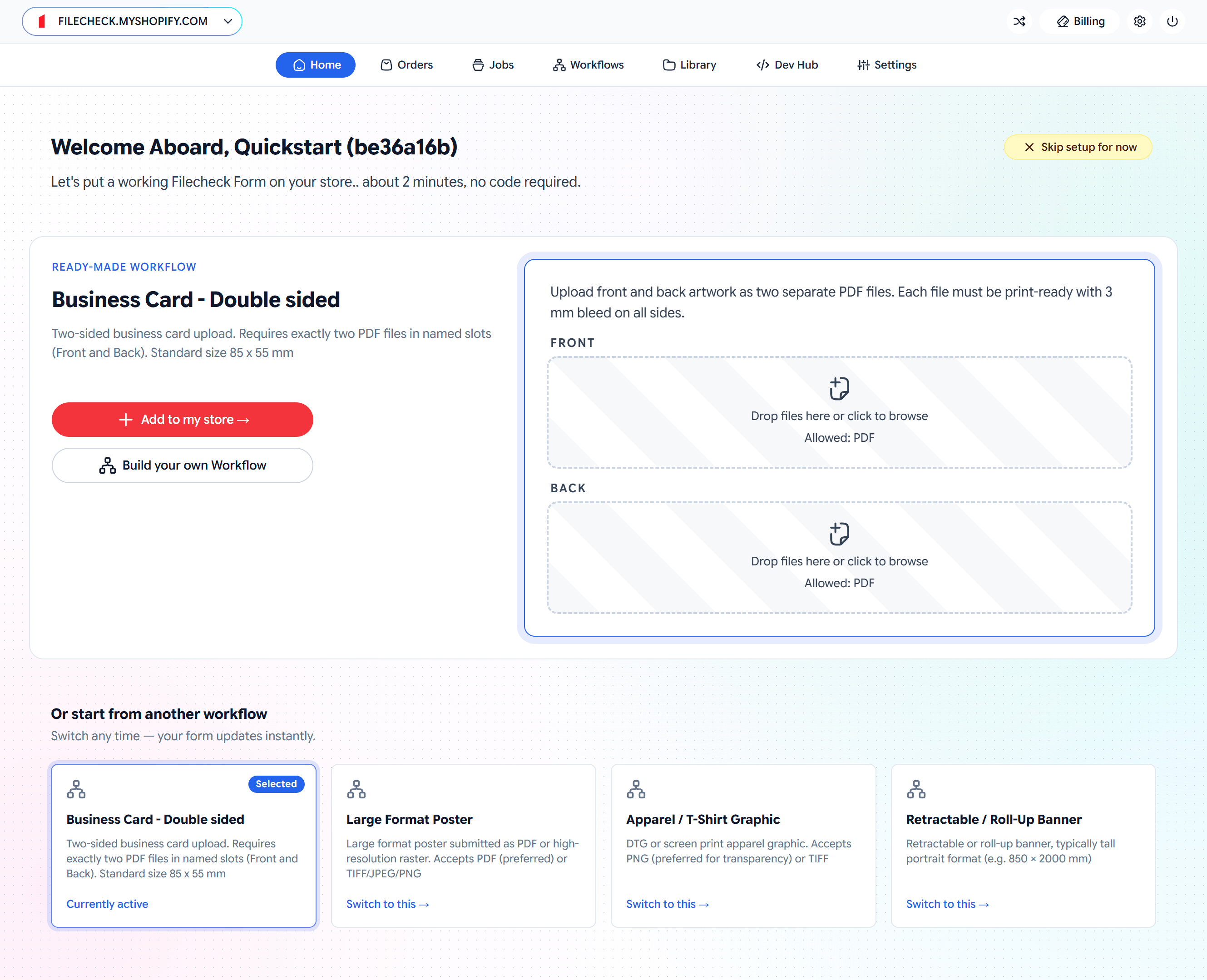
4
Map a workflow to a product
Open Workflow Mappings. Your Shopify products are listed automatically (we sync them from your store). Click Assign next to a product and choose the Workflow to apply to it. Repeat for each product you want to gate.
5
See it on the product page
Visit a mapped product on your storefront. The Filecheck upload form appears automatically and Add to cart stays disabled until an uploaded file passes. Filecheck injects the form for you, so there are no theme edits to make.
6
Download your files
After checkout, the validated, print-ready output is attached to the order in your Shopify admin, ready for fulfillment.
Not seeing the upload form on a mapped product? First check that the Filecheck app embed is on and saved in your live theme. Turning it on in an unpublished theme doesn’t affect your storefront. With the embed on, Filecheck loads a script that finds the right spot on your product page and injects the upload form automatically, so in almost all cases you do not need to touch your theme. In rare cases (~0.5%) where a theme does not follow standard conventions — for example, no standard cart form — you may need to add the Filecheck Intake app block to your product template in the theme editor. If a mapped product still does not show the form, contact us and we will check it for you or add the block to that product page.
Works with Print Options and Print.App
Selling configurable print products? Filecheck works hand-in-hand with Print Options + Artwork Upload, the free options & price builder from Print.App, and the Print.App Editor. Print Options handles sizes, stocks, finishes and live pricing on the product page, and can pass customer uploads straight to Filecheck for validation and fixing. Each app also works standalone.Print Options + Artwork Upload
Free on the Shopify App Store: product options with live pricing, built for print shops.